How to Redeem Simple Drift Codes
Exact Settings steps, troubleshooting, and where Third Floor posts new codes.
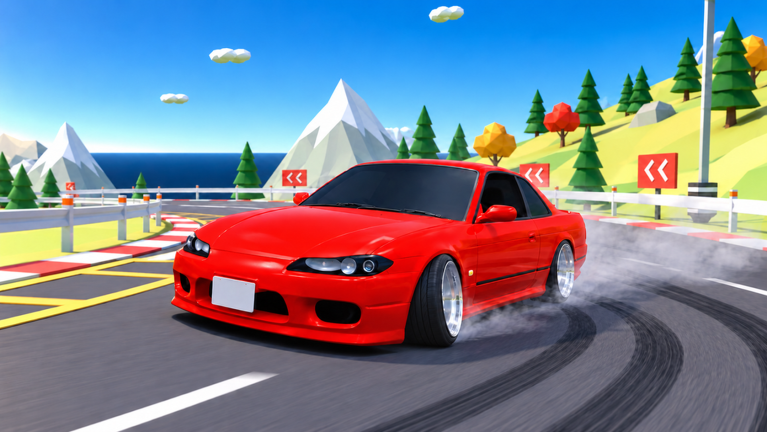
Redeeming a Simple Drift code takes under a minute once you know the menu path. This guide walks through the full flow, common failure messages, and the official places to watch for the next drop so you are not refreshing random code dump sites.
If you only need the live list, jump back to the Codes Hub. If you already claimed LAUNCH and want income that does not depend on promos, continue with Earn Cash.
Before you start
- Play on a supported device: phone, tablet, PC, or console through Roblox.
- Sign into the Roblox account you want the cash on. Codes are account-bound.
- Join a server of Simple Drift (universe
10771508240, place72708474319092). - Have the code typed or copied carefully. Extra spaces break most redeem fields.
Optional but strongly recommended: join the Third Floor Roblox group before or right after redeeming. Group members get a free 3000GT and +15% cash, which multiplies every reward you earn after the code. Day-one order of operations is covered in Getting Started.
Step-by-step redeem
- Load into Simple Drift and wait until the garage / spawn UI finishes loading. Redeeming mid-teleport can soft-fail on some experiences.
- Open Settings. Look for the gear or settings entry in the on-screen menu. On PC you will usually click with the mouse; on mobile tap the equivalent icon.
- Locate the Codes or Redeem section. It may sit under a Rewards, Misc, or Promo tab depending on the current UI build.
- Enter the code. For the known launch promo, type
LAUNCHwith no spaces. - Confirm / Redeem. Watch for a success toast or cash counter bump.
- Verify the balance. Leave Settings, check cash in the shop or HUD, then decide what to buy using the Tier List and Car Tuning pages.
That is the entire happy path. Most players finish in under thirty seconds.
Troubleshooting failed codes
”Invalid code” or no response
- Re-type the code manually. Clipboard pastes sometimes include invisible characters from Discord or web pages.
- Confirm you are in Simple Drift and not another Third Floor title.
- Soft-rejoin the experience (leave and re-enter the game) and try once more.
”Already redeemed”
- The code already paid out on this Roblox account. You cannot claim it again.
- Alt accounts each need their own redeem if you play on multiples — but keep alt use within Roblox rules.
”Expired” / previously working code fails
- The developers disabled it. Remove it from your mental checklist and check Codes plus Updates for replacements.
- Do not keep retrying dozens of times; that will not revive an expired string.
Cash did not appear
- Re-open the shop or HUD cash display; some UIs refresh slowly.
- Rejoin the server once.
- If the success message appeared but cash is still missing after a rejoin, note the time and report through official Third Floor channels rather than third-party “fix” Discords.
Cannot find the Settings codes field
UI layouts change after patches. After a major update, skim the Updates Hub for menu notes. Until the field returns or moves, codes simply cannot be redeemed — there is no secret chat command for LAUNCH.
Where codes are announced
Trust these sources first:
- Third Floor Roblox community — group page. Shouts, group wall, and related experiences often carry promo text.
- In-game banners / changelogs inside Simple Drift after you update.
- This wiki’s Codes Hub once a code is confirmed working in-session.
- Updates when a patch notes post includes a accompanying promo.
Be skeptical of:
- Sites that mix fifty Roblox games into one “working codes” dump with no date
- Paid code bundles
- Videos that ask you to download an executor “to unlock codes”
Codes never require an executor. If a tutorial blends redeem steps with script injection, close it and use this page instead.
After a successful redeem
Put the cash to work immediately:
- Confirm Third Floor membership for the 3000GT and +15% cash.
- Learn the PC essentials — WASD, Space e-brake, Q 2-step — from Controls before spending on a high-power car you cannot catch.
- Run a short session on a forgiving map from the Maps guide (docks or circuit work well for new drivers).
- Stack dailies and judged runs while the balance is high so you do not burn the entire gift on cosmetics alone.
- Body kits, wraps, underglow, and tint are fun, but power and steering angle decide whether you hold a drift. Read Car Tuning before you empty the wallet on looks.
Console, mobile, and PC notes
The redeem flow lives in the experience UI, so the same Settings path applies across devices. Input differences only matter after you drive:
- PC — keyboard shortcuts listed on Controls.
- Mobile / tablet — on-screen buttons for throttle, brake, steer, and e-brake; find Settings via the top-bar icons.
- Console — use the Roblox gamepad UI to open the same Settings panel.
If the on-screen keyboard mis-types a code on mobile, switch to a physical keyboard when possible or type slowly and verify each character.
Safety checklist
- Never share your Roblox password to “verify” a code.
- Never download a random
.exeor mobile APK because a code video demanded it. - Prefer official group links over mirrored invite farms.
- Report phishing attempts through Roblox, not through comment sections.
Related pages
- Codes Hub — live table starting with LAUNCH
- Earn Cash — income after promos
- Updates — patch context for new rewards
- Getting Started — first-hour plan that includes redeeming
- Scripts Hub — why executors are not a redeem shortcut
Redeem carefully, verify the cash, then get back on the touge.
Frequently Asked Questions
Quick answers to the most common questions.
Where is the Simple Drift code box?
Open Settings inside the game and look for the Codes or Redeem field. It is not entered in Roblox chat.
Why does LAUNCH say invalid?
It may have expired, been mistyped, or already redeemed. Remove spaces, rejoin once, then check the Codes Hub for status.
Do I need Third Floor membership to redeem codes?
No. Anyone can redeem active codes. Membership still helps because of the free 3000GT and +15% cash bonus.
Where does Third Floor post new codes?
Watch the Third Floor Roblox community, in-game notices, and this wiki’s Codes and Updates pages.
Can I redeem codes on mobile?
Yes. Open Settings in the experience UI on phone or tablet and enter the code the same way as on PC.