Getting Started in Simple Drift
First-hour checklist: group rewards, codes, controls, first map, and dailies.
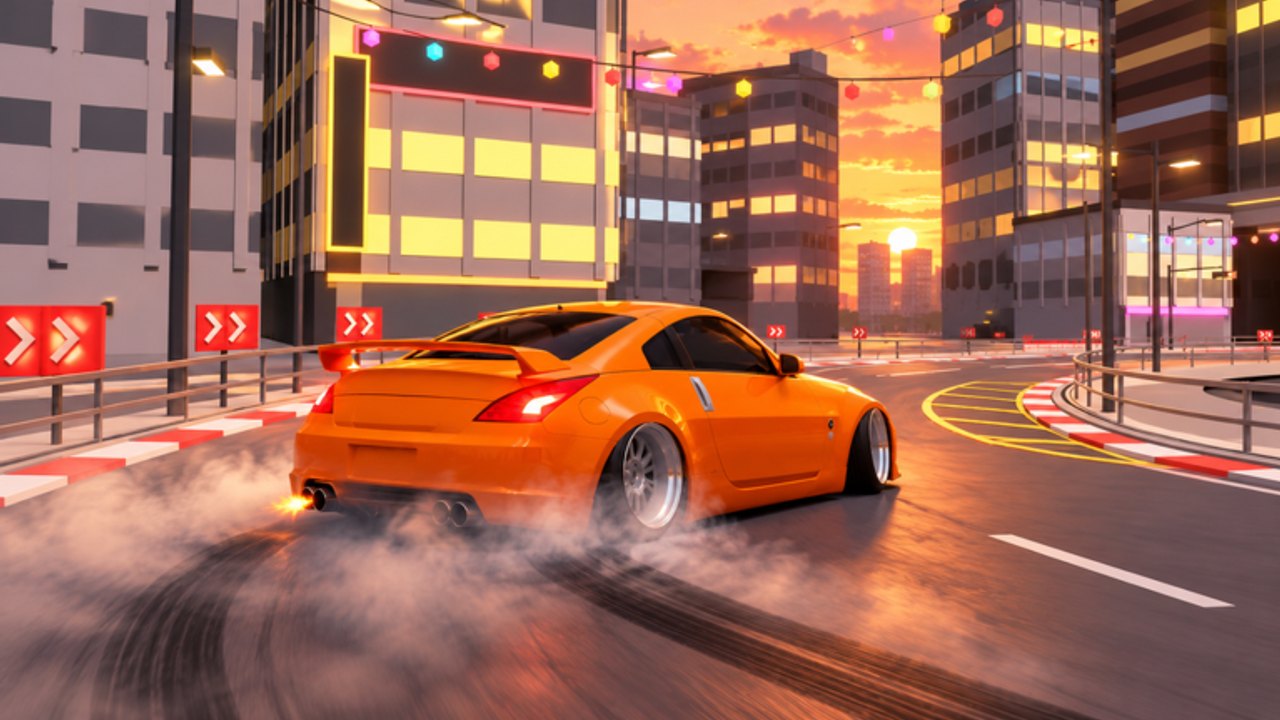
Simple Drift is a free-to-play Roblox Sports & Racing experience from Third Floor with 45+ real-inspired cars, deep customization, and nine maps built for solo practice, judged runs, and tandem play. This guide is your day-one route so you do not waste the opening session on the wrong purchases.
Play link: Simple Drift on Roblox. Group: Third Floor.
Hour-one checklist
- Launch the game and finish any intro prompts.
- Join the Third Floor group and claim the free 3000GT plus +15% cash.
- Redeem code
LAUNCHfor 1,500 Cash in Settings (while active). - Spawn a car and learn WASD + Space e-brake + Q 2-step.
- Drive a forgiving first map (docks or circuit).
- Clear available dailies / early badges before you go shopping for a hypercar.
- Bookmark Codes, Controls, and Earn Cash.
If you only remember three things: group → code → controls.
Step 1 — Join Third Floor first
Membership is one of the strongest early advantages in the game:
- Free 3000GT so you are not stuck on the weakest chassis
- Permanent +15% cash that multiplies codes, dailies, and judged payouts
Open the Third Floor community, join, then return to Simple Drift and claim / equip the reward car if it does not appear automatically. The 3000GT ranks extremely well for beginners on the Cars Tier List precisely because of this low-friction path.
Step 2 — Redeem LAUNCH
Open Settings, find the codes field, enter LAUNCH, and confirm. You should receive 1,500 Cash if the promo is still live. Full troubleshooting lives on How to Redeem Codes; the live table sits on the Codes Hub.
Do not spend the entire balance on cosmetics. Keep enough for steering angle / stance and a possible mid car later. Body kits look great in first-person, but they will not teach you how to initiate a drift.
Step 3 — Spawn and learn the core inputs
On PC (reference bindings):
| Key | Action |
|---|---|
| WASD | Drive / steer |
| Space | E-brake |
| Q | 2-step |
| E | Exit |
| C | Camera |
| U | Hide HUD |
| H | Horn |
| L | Lights |
| N | Radio |
| M | Maps |
| G | Home |
Mobile and console use on-screen or gamepad equivalents for the same actions. Deep technique notes: Controls and Controls Cheatsheet.
First drill (5 minutes)
- Accelerate in a straight line on a wide map.
- Tap Space to break traction while steering into the slide.
- Pulse Q 2-step to keep boost / style pressure without spinning out.
- Countersteer early instead of waiting for a full wall approach.
- Reset calmly with G / home flow if you eat a barrier — frustration farming teaches nothing.
You are ready for scored modes when you can hold a slide through one medium corner without panicking.
Step 4 — Pick a first map
All nine maps are detailed in Maps. For day one, prefer:
- Docks — readable layout, good for e-brake practice
- Circuit / raceway — wide lanes, lower panic density
- Speed strip — only for testing power after you can already slide
Save touge, night touge, and forest road for your second session once initiation timing exists. Bikernieki is a real-circuit flex map — visit it for fun, but do not judge your skill solely on that track on hour one.
Step 5 — Run dailies and early judged sessions
Simple Drift layers dailies, badges, judged runs, tandem ghosts, and global leaderboards on top of free roam. Day one priorities:
- Complete easy dailies for guaranteed cash.
- Attempt one judged run focusing on clean angle, not leaderboard rank.
- Ignore toxic chat about scripts; legitimate income is covered in Earn Cash.
- If you duo with a friend, keep tandem lines predictable — etiquette notes on Players.
The +15% group bonus makes every completed daily more valuable than it looks on the raw reward tooltip.
Step 6 — First garage decisions
With code cash + group car secured:
- Open Tier List Hub and decide your lens (beginner vs feel vs farm).
- Skim Cars before touching the Chiron.
- Apply a light Car Tuning pass: steering angle and stance first.
- Add wraps, underglow, tint, or strobes only after the car rotates how you like.
The Chiron and A31 Cefiro are destination cars. They feel better when your hands already know the drill.
Features worth noticing early
- 60+ body kits and full visual stack (wraps, underglow, air ride, tint, drift strobes)
- First-person driving for immersion once camera comfort exists (C to cycle)
- Air ride / stance as part of the style fantasy and handling posture
- Cross-platform play so friends on phone can still ride with PC drivers
None of these replace fundamentals. Pretty underglow on a car you cannot catch is still a crash montage.
Common day-one mistakes
- Skipping Third Floor membership
- Ignoring
LAUNCHuntil it expires - Buying the loudest hypercar before learning Space + Q
- Practicing only on the hardest touge on minute ten
- Chasing scripts from the Scripts Hub demand list instead of dailies
- Spending every Robux-adjacent impulse (or all cash) on kits before tunes
Avoid those six and you will outpace most of the server’s new player cohort.
What to do on day two
- Revisit Controls and tighten 2-step timing.
- Farm with intent using Earn Cash.
- Unlock a second map comfort zone from Maps.
- Check Updates in case a patch added kits, cars, or codes.
- Try a tandem ghost session with manners from Players.
Related pages
Join the group, claim the code, learn the slide, then go shopping.
Frequently Asked Questions
Quick answers to the most common questions.
What should I do first in Simple Drift?
Join the Third Floor group for the free 3000GT and +15% cash, redeem LAUNCH in Settings, then practice e-brake and 2-step on a wide map.
Is the free 3000GT actually good?
Yes for beginners and early farming. It frees your code cash for tunes and avoids an instant hypercar purchase.
Which map is best for absolute beginners?
Docks or circuit/raceway. Save tight touge and forest road until you can initiate cleanly.
Do I need to buy the Chiron on day one?
No. Learn controls first. The Chiron’s power punishes sloppy throttle on technical maps.
Where do I redeem the LAUNCH code?
In the in-game Settings codes field. See How to Redeem Codes if the menu is unclear or the code fails.